

A Modern, Open-Source CRM Built on the Frappe Framework
Frappe CRM is a modern open-source CRM from Frappe, the team behind ERPNext. It offers a clean, fast interface for managing leads and deals, built on the proven Frappe Framework.
Xirgosoft implements Frappe CRM on Frappe Cloud or your own servers, configures it for your sales process, and connects it with your telephony, email, WhatsApp and ERP.
Because Frappe CRM runs on the Frappe Framework, it can be extended with custom DocTypes, scripts and apps — and connected to ERPNext when you need accounting, inventory or HR.
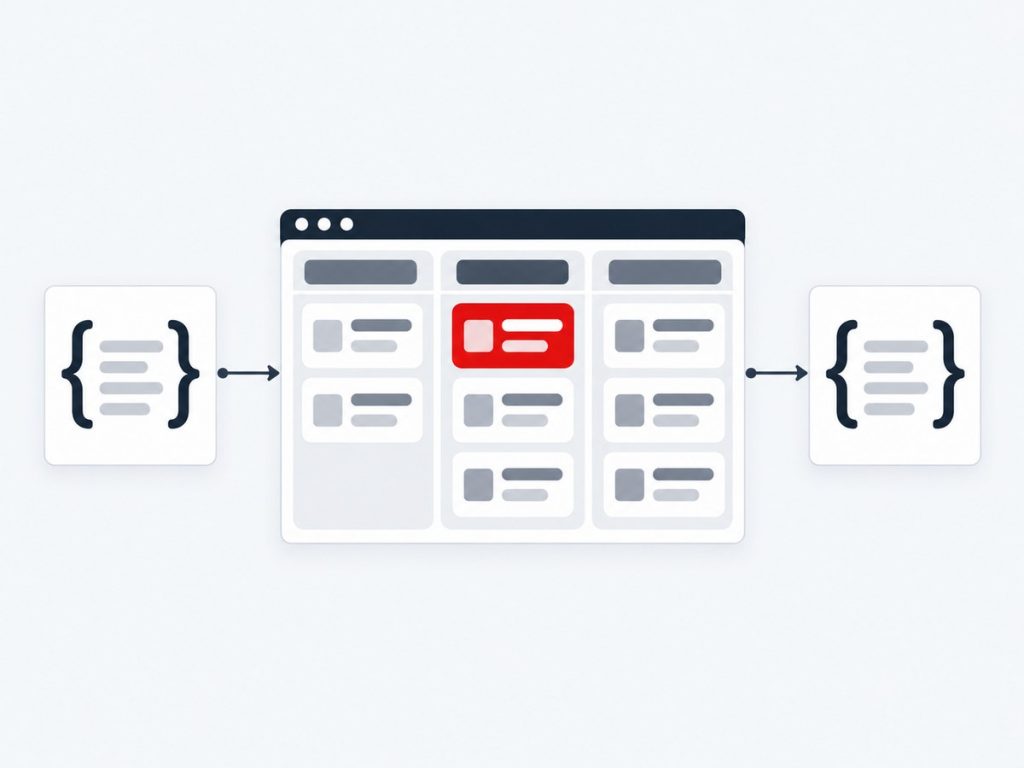
A Modern CRM on the Frappe Framework
Frappe CRM is a modern open-source CRM from the makers of the Frappe Framework and ERPNext. It has a clean, fast interface, a Kanban-style pipeline and built-in calling, and it is a separate, dedicated CRM app rather than the CRM module inside ERPNext.
Because it is built on the Frappe Framework, with Python on the server, Vue.js on the front end and MariaDB underneath, it can be extended properly: custom DocTypes, server and client scripts, REST and webhook integrations and full Frappe apps that update cleanly with bench. It can be hosted on Frappe Cloud or on your own server using Docker or bench.
We cover the whole journey: installation and hosting, pipeline configuration and assignment rules, WhatsApp, calling with Twilio, Exotel or other providers, AI, email and calendar, payments, data migration from vTiger, Zoho, HubSpot, Salesforce or ERPNext's CRM, and custom development. For ERPNext users, we connect deals to ERPNext customers and quotations so sales and operations share one source of truth.
What We Deliver
Everything included in this service, from the first scoping call through to launch and support.
Installation & Hosting
Setup on Frappe Cloud, Docker or your own server.
Pipeline Configuration
Lead and deal statuses, fields and views.
Assignment & SLAs
Assignment rules and response-time targets.
Email & Calling
Connect mailboxes and telephony.
ERPNext Connection
Link deals to ERPNext customers and quotations.
Training & Support
Help your team adopt the CRM quickly.
Key Benefits
What this means for your business once it is live.
Modern, Fast Interface
Kanban pipelines, clean lists and a pleasant everyday experience.
Open Source, No Licence Fees
Pay for hosting and services, not per-user licences.
Extensible by Design
DocTypes, scripts and Frappe apps extend it without core edits.
Calling Built In
Twilio and Exotel integrations are available out of the box.
Works With ERPNext
Link deals to ERPNext customers and quotations.
Flexible Hosting
Frappe Cloud, Docker or your own server with bench.
How It Works
Discovery
We map your sales process and requirements.
Setup
Frappe CRM is installed and configured.
Integrate
Email, calling, WhatsApp and ERP connected.
Launch
Data imported, users trained and system live.
Real-World Use Cases
Growing Sales Team
A sales team moves from spreadsheets to a modern Kanban pipeline with assignment rules.
ERPNext Users
A company already using ERPNext adds Frappe CRM for a better sales experience.
Self-Hosted CRM
A business hosts Frappe CRM on its own AWS server for full data control.
Common Challenges We Solve
Outgrowing Spreadsheets or Heavy CRMs
A light, modern CRM that teams adopt quickly.
Needing Custom Behaviour
We build Frappe apps and scripts so updates do not overwrite your work.
Moving From Another CRM
We map data to DocTypes and migrate history with validation.
Hosting Decisions
We help choose between Frappe Cloud and self-hosting and set it up.
Why Choose Xirgosoft
- Modern, fast CRM interface
- No per-user licence fees
- Room to grow with ERPNext
- Experienced implementation team
Technologies & Platforms
Who This Is For
- Sales teams wanting a fast, modern pipeline
- Companies already using ERPNext
- Businesses wanting open source with self-hosting options
- Teams in India using Exotel for calling
- Organisations migrating from vTiger, Zoho or HubSpot
What Is Included
- Installation and hosting set-up
- Pipeline, assignment and SLA configuration
- WhatsApp, calling, AI, email and payment integrations
- Data migration and validation
- Custom DocTypes, scripts and Frappe apps
- Training and support
All Frappe CRM Services
Frappe CRM WhatsApp Integration
Chat with Leads and Customers on WhatsApp from Frappe CRM
Many leads prefer WhatsApp over email or calls. Keeping those chats inside the CRM gives your team context and managers visibility.
We set up WhatsApp messaging in Frappe CRM using the official WhatsApp Business Platform, so conversations appear on lead and deal records.
Frappe CRM supports WhatsApp messaging through the Frappe WhatsApp app and Meta's Cloud API; we install, configure and extend it for your workflows.
Chats on Leads & Deals
Send and receive messages from records.
Template Messages
Meta-approved templates for outreach.
Conversation History
All messages saved on the record.
Notifications
Alerts for new incoming messages.
Automation
Send messages from server scripts and events.
Shared Number
Multiple users on one business number.
Example scenarios
Lead Response
A new lead from the website receives a WhatsApp greeting, and replies appear on the lead.
Deal Follow-Up
Reps share quotes and answer questions on WhatsApp from the deal.
Event Reminders
Prospects receive reminders before scheduled demos.
Frappe CRM Telephony Integration (Twilio & Exotel)
Call Leads and Log Every Conversation in Frappe CRM
Phone calls remain one of the most effective ways to convert leads — and every call should be recorded in the CRM.
Frappe CRM includes calling integrations with Twilio and Exotel. We configure them for your team and build custom connectors for other providers when needed.
Exotel is widely used in India and Twilio internationally, so most of our clients can use built-in calling without custom development.
Click-to-Call
Call leads and contacts from Frappe CRM.
Call Logs
Calls recorded on leads and deals.
Recordings
Listen to calls from the record.
Twilio & Exotel Setup
Configuration of built-in integrations.
Custom Providers
Connectors for other VoIP systems.
Call Notes
Agents add notes after each call.
Example scenarios
Inside Sales India
An Indian sales team calls leads through Exotel with every call logged.
International Sales
A global team uses Twilio to call prospects in multiple countries.
Call Review
Managers listen to recordings to coach reps.
Frappe CRM AI Integration
Add AI Assistance to Your Frappe CRM Workflows
AI can save sales teams hours by summarizing activity, drafting emails and qualifying leads.
We integrate ChatGPT, Claude, Gemini or self-hosted models with Frappe CRM using Python apps and server scripts on the Frappe Framework.
Frappe's Python-based framework makes it straightforward to call AI APIs, process results and store them in CRM fields — without fragile external tools.
Lead Summaries
Summarize lead and deal activity.
Email Drafting
Draft emails from CRM context.
Lead Qualification
Analyze inquiries for intent and budget.
Data Extraction
Fill fields from emails and notes.
Background Jobs
AI tasks run in Frappe background workers.
Model Choice
Cloud or self-hosted AI models.
Example scenarios
Deal Briefings
Reps get AI summaries before calls.
Inquiry Scoring
New leads are scored by AI based on their messages.
Follow-Up Drafts
AI drafts follow-up emails after meetings.
Frappe CRM Email & Calendar Sync (Office 365 & Gmail)
Bring Email Conversations and Meetings into Frappe CRM
Lead and deal history is incomplete without the emails exchanged with customers.
We configure Frappe email accounts with Microsoft 365 and Google Workspace, so emails are sent from and received into Frappe CRM and linked to leads and deals.
Frappe supports OAuth-based email connections, which we configure so your mailboxes keep working securely after providers retire password-based access.
Email Account Setup
Microsoft 365 and Gmail mailboxes connected.
OAuth Authentication
Secure, modern sign-in.
Email on Records
Emails linked to leads and deals.
Templates
Reusable email templates.
Calendar Integration
Sync events with Google Calendar.
Troubleshooting
Fix sending and receiving issues.
Example scenarios
Sales Email
Reps email leads from Frappe CRM and replies thread on the record.
Shared Inbox
A sales@ mailbox feeds new leads into the CRM.
Meetings
Demos are scheduled and synced with calendars.
Frappe CRM Payment Gateway Integration
Collect Payments and Track Them Across Frappe CRM and ERPNext
Once a deal is won, collecting payment quickly keeps cash flowing.
We set up payment gateways such as Razorpay, Stripe and PayPal using Frappe's payments app, connected to Frappe CRM deals and, where used, ERPNext invoices.
For businesses using ERPNext, payments can flow straight into accounting, avoiding double entry between sales and finance.
Payment Requests
Send payment links to customers.
Gateway Setup
Razorpay, Stripe, PayPal and others.
Status Tracking
Payments linked to deals and invoices.
ERPNext Accounting
Payment entries recorded in ERPNext.
Notifications
Alerts on successful payments.
Reports
Payment and revenue reporting.
Example scenarios
Advance Payments
A won deal triggers a payment request for an advance.
Invoice Payments
ERPNext invoices are paid online and reconciled automatically.
Subscription Billing
Recurring payments for services.
Frappe CRM Data Migration
Move Your Leads, Deals and History into Frappe CRM
Switching to Frappe CRM should not mean losing years of customer history.
We migrate leads, contacts, organizations, deals, notes and emails from vTiger, Zoho, HubSpot, Salesforce, spreadsheets and other CRMs into Frappe CRM.
We use Frappe's Data Import tools for straightforward data and custom Python scripts for complex relationships and large volumes.
Source Analysis
Understand current data and structure.
Field Mapping
Map to Frappe CRM DocTypes.
Cleansing
Remove duplicates and fix values.
History Migration
Notes, activities and emails.
Test Import
Validated on a test site.
Final Migration
Planned cutover.
Example scenarios
vTiger to Frappe CRM
A company moves from vTiger to Frappe CRM for its modern interface.
Zoho to Frappe CRM
A business reduces licence costs by moving from Zoho.
ERPNext CRM to Frappe CRM
Leads and opportunities move from ERPNext's CRM module.
Frappe CRM Custom Development
Extend Frappe CRM with Custom Apps and Automation
The Frappe Framework makes it possible to extend the CRM in powerful ways without hacking core code.
We build custom DocTypes, server and client scripts, REST integrations and full Frappe apps to tailor Frappe CRM to your business.
All customizations are delivered as separate Frappe apps or fixtures, so updates to Frappe CRM can be applied with bench without overwriting your work.
Custom DocTypes
New data types for your business.
Server Scripts
Business logic and validations.
Custom Fields & Views
Tailored forms, lists and Kanban.
REST & Webhooks
Integrate with any system.
Custom Frappe Apps
Packaged, upgrade-safe extensions.
Reports
Script and query reports.
Example scenarios
Website Lead Capture
Web forms create leads with UTM tracking.
Custom Approval
Discounts above limits require approval.
ERP Sync
Deals sync to ERPNext or another ERP.
Frequently Asked Questions
Is Frappe CRM free?
It is open source with no licence fees; you pay for hosting and any implementation services.
Where can it be hosted?
On Frappe Cloud, or self-hosted on your own server or cloud using bench or Docker.
Does it work with ERPNext?
Yes. Frappe CRM can be connected to ERPNext for quotations and customers.
Is Frappe CRM the same as ERPNext CRM?
No. Frappe CRM is a separate, dedicated CRM app with its own modern interface.
Is Frappe CRM suitable without ERPNext?
Yes. It works as a standalone CRM, and you can connect ERPNext later if you need it.
Can we self-host Frappe CRM?
Yes, using bench or Docker on your own server or cloud, or use Frappe Cloud.
How do updates affect our customisations?
Customisations are delivered as separate apps and fixtures, so updates apply with bench without overwriting them.
Can you integrate Frappe CRM with our website?
Yes. Web forms and APIs can create leads, with UTM tracking, and we can build custom endpoints where needed.
Is it the official WhatsApp API?
Yes, through Meta's WhatsApp Business Platform.
Does it work on Frappe Cloud?
Yes, apps can be installed on Frappe Cloud sites as well as self-hosted ones.
Can messages be automated?
Yes, using server scripts or custom logic.
Are there WhatsApp charges?
Meta charges per conversation; we explain pricing during setup.
Is calling built into Frappe CRM?
Yes, with Twilio and Exotel integrations. We configure them for you.
Can we use another provider?
Yes, we can build a custom connector if the provider has an API.
Are calls recorded?
Yes, if recording is enabled with your provider.
Do agents need desk phones?
No. Calls can be made from the browser or mobile depending on setup.
Get started with Frappe CRM.
Talk to our experts today for a free consultation and quote.