

Comprehensive Open-Source CRM and Business Management with YetiForce
YetiForce is a powerful open-source CRM with extensive modules for sales, support, projects and business management.
Xirgosoft implements, customizes and integrates YetiForce CRM so your team gets a complete, tailored business platform.
YetiForce includes modules for sales, support, projects, inventory and HR, with a strong focus on security. Its breadth makes careful configuration important — which is where our implementation experience helps.
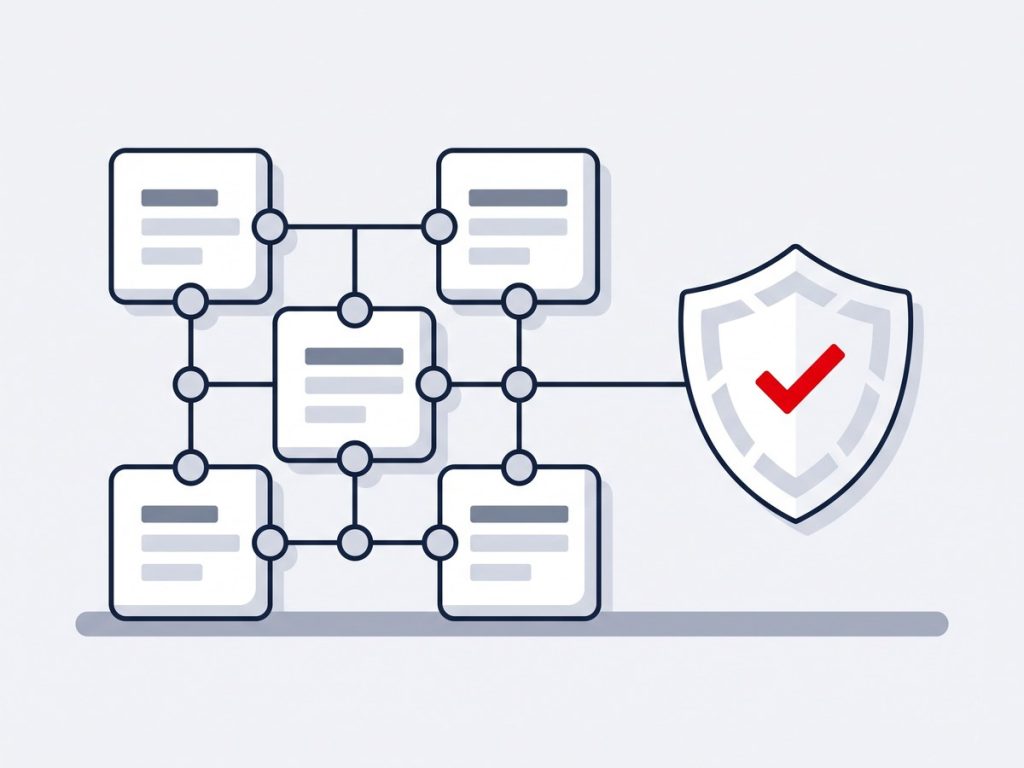
YetiForce: A Broad, Security-Minded Open-Source CRM
YetiForce is an open-source CRM that reaches well beyond sales. It includes modules for support (HelpDesk), projects, inventory, finance and HR, and it places strong emphasis on security and fine-grained permissions. It began as a fork of the vTiger codebase and has since developed its own features and architecture.
That breadth is its strength and its challenge. Out of the box there is a great deal to switch on, and a poorly scoped rollout leaves teams with screens they never use. We configure only what each department needs, build custom modules and workflows where required and connect YetiForce to WhatsApp, telephony and PBX systems, AI models, Microsoft 365 and Google mail and calendars and online payment gateways.
Integration work is built as separate components using YetiForce's web service API wherever possible, so official updates continue to apply cleanly. We also migrate data from vTiger, spreadsheets and other CRMs, upgrade existing installations and provide ongoing support, including self-hosted AI options for organisations that must keep data on their own servers.
Because YetiForce is often chosen for security-conscious environments, we apply the same discipline to the surrounding stack: hardened servers, HTTPS, restricted access and documented, tested backups.
What We Deliver
Everything included in this service, from the first scoping call through to launch and support.
Installation & Configuration
Server setup and module configuration.
Custom Modules & Fields
Tailor YetiForce to your business data.
Workflow Automation
Automate approvals, notifications and tasks.
Data Migration
Bring in data from existing systems.
Integrations
Connect telephony, email and third-party tools.
Security & Permissions
Fine-grained access control for teams.
Key Benefits
What this means for your business once it is live.
Many Modules Built In
Sales, support, projects, inventory and more in one platform.
Security-Focused Design
Detailed permissions and a security-minded architecture.
Self-Hosted Control
Run it on your own server or cloud with your own policies.
Update-Friendly Integrations
Separate components avoid conflicts with official updates.
Migration From vTiger and Others
Move data in with relationships and history preserved.
Right-Sized Configuration
We switch on what you need and train each team.
How It Works
Scope the Modules
We choose which YetiForce modules your business actually needs.
Configure & Secure
Modules, roles and permissions are configured.
Integrate & Migrate
Data is imported and external systems connected.
Train & Support
Teams are trained and supported after go-live.
Real-World Use Cases
Project-Based Services
An agency manages clients, projects, time tracking and invoicing in one platform.
Multi-Department Use
Sales, support and operations each have tailored views in one CRM.
Security-Focused Organizations
Strict permission controls protect sensitive client data.
Common Challenges We Solve
Overwhelming Feature Set
We configure per department so users see only relevant modules.
Integrations Breaking on Update
We build separate components using the web service API.
Email Import Problems
We configure the mail scanner, OAuth and cron so mail imports reliably.
Strict Data Security Needs
We combine YetiForce permissions with hardened hosting and self-hosted AI options.
Why Choose Xirgosoft
- A broad business platform in one system
- No per-user license costs
- Strong security and permission controls
- Expert customization and support
Technologies & Platforms
Who This Is For
- Organisations wanting one platform for CRM, support and projects
- Security-conscious businesses and agencies
- Teams moving from vTiger or spreadsheets
- Companies needing self-hosted AI and data control
- Businesses with multi-department processes
What Is Included
- Requirements and module planning
- Installation, configuration and permissions
- Integrations for messaging, calling, AI, email and payments
- Data migration and validation
- Custom modules, fields and workflows
- Upgrade and support plans
All YetiForce CRM Services
YetiForce CRM WhatsApp Integration
WhatsApp Conversations Linked to Your YetiForce Records
Customers increasingly expect to reach businesses on WhatsApp. Without integration, those chats stay outside your CRM and out of view.
We connect the official WhatsApp Business Platform with YetiForce CRM so your team can message contacts and accounts, with all conversations stored on the related records.
The integration uses YetiForce's web service API and is built as a separate component, so it does not interfere with YetiForce's regular update packages.
Messaging from Records
Chat with contacts and accounts inside YetiForce.
Message Templates
Approved templates for notifications.
Conversation Logging
Messages saved on the record history.
New Lead Creation
Unknown numbers create new leads.
Workflow Notifications
Send WhatsApp messages from YetiForce workflows.
HelpDesk Updates
Notify customers about ticket progress.
Example scenarios
Ticket Notifications
When a HelpDesk ticket is resolved, the customer gets a WhatsApp message.
Delivery Coordination
Operations teams confirm delivery times with customers on WhatsApp.
Sales Chats
Reps chat with leads and keep the history in YetiForce.
YetiForce CRM Telephony & PBX Integration
Click-to-Call and Call History for YetiForce CRM
Calls made outside the CRM leave gaps in your customer history and make performance hard to measure.
We integrate YetiForce CRM with Asterisk/FreePBX, Twilio and other VoIP providers so calls can be placed from YetiForce and logged automatically.
Where YetiForce's built-in PBX settings support your provider, we configure them; where they do not, we build a dedicated connector using the provider's API.
Click-to-Call
Call contacts and accounts with one click.
Incoming Call Identification
Match callers to YetiForce records.
Call History
Calls logged with duration and status.
Recordings
Access recordings from the CRM.
User Mapping
Link extensions to YetiForce users.
Activity Reports
Analyze calls per user and team.
Example scenarios
Service Department
Callers are identified and their open tickets shown to the agent.
Sales Calls
Reps call leads from YetiForce with automatic logging.
Call Audits
Managers review recordings for training and quality.
YetiForce CRM AI Integration
Bring ChatGPT, Claude and Open AI Models into YetiForce
YetiForce stores extensive business data across sales, support and projects. AI can help your team make sense of it faster.
We integrate AI models such as ChatGPT, Claude, Gemini or self-hosted open models with YetiForce to summarize records, draft messages and classify incoming requests.
YetiForce is often chosen by organizations with strict security requirements, so we offer self-hosted AI options where data must stay on your own servers.
Record Summaries
Summaries of accounts, tickets and projects.
Message Drafting
Draft emails and replies from record context.
Ticket Classification
Categorize and prioritize HelpDesk tickets.
Data Extraction
Extract information from emails and documents.
Self-Hosted Models
Keep data on your own infrastructure.
Workflow Integration
Run AI tasks automatically in workflows.
Example scenarios
Project Status Summaries
Project managers get AI summaries of project activity for weekly reports.
HelpDesk Triage
Tickets are categorized and routed automatically.
Email Insights
Important details from client emails are extracted into fields.
YetiForce Email & Calendar Sync (Office 365 & Gmail)
Connect Microsoft 365 and Google Workspace to YetiForce CRM
Email is central to customer communication, and calendars drive daily activity. Both need to be connected to the CRM.
We configure YetiForce's mail scanner, outgoing mail, and calendar integrations with Microsoft 365 and Google Workspace, including OAuth authentication.
We also set up YetiForce's mail scanner rules, so incoming emails are linked to the correct records or create tickets automatically.
OAuth Authentication
Secure Microsoft 365 and Google connections.
Mail Scanner Rules
Link emails to records or create tickets.
Outgoing Mail
Reliable SMTP configuration.
Calendar Sync
Sync meetings with external calendars.
Email Templates
Templates for common communications.
Troubleshooting
Fix sync, authentication and cron issues.
Example scenarios
Support Email to Tickets
Emails to the support inbox create HelpDesk tickets automatically.
Client Correspondence
Emails with clients are linked to accounts and contacts.
Shared Calendars
Team meetings appear in YetiForce and Outlook.
YetiForce CRM Payment Gateway Integration
Collect Payments Online and Record Them in YetiForce
YetiForce includes invoicing and incoming payment records, but customers still need a convenient way to pay.
We integrate gateways such as Stripe, PayPal and Razorpay so payments made online are recorded in YetiForce automatically.
Successful payments can be recorded in YetiForce's incoming payments module and linked to the related invoice and account.
Payment Links
Send payment links for invoices.
Automatic Payment Records
Create incoming payment records on success.
Invoice Status Updates
Invoices updated when paid.
Multiple Gateways
Stripe, PayPal, Razorpay and more.
Notifications
Alert finance teams of new payments.
Reports
Track paid and outstanding amounts.
Example scenarios
Invoice Payments
Clients pay by link, and YetiForce records the payment against the invoice.
Service Subscriptions
Recurring service fees are collected and recorded automatically.
Finance Overview
Finance teams see outstanding balances per account.
YetiForce CRM Data Migration
Move Your Business Data into YetiForce Safely
YetiForce has a rich data model covering sales, support, projects and more. Migrating into it requires careful mapping.
We migrate data from vTiger, SugarCRM, SuiteCRM, spreadsheets and other systems into YetiForce, including relationships, notes and documents.
YetiForce originally shares roots with vTiger, which helps when migrating from vTiger — though the data models have diverged significantly and still need careful mapping.
Data Assessment
Review sources and data quality.
Module Mapping
Map data to the right YetiForce modules.
Relationship Preservation
Keep links between records.
Data Cleansing
Remove duplicates and fix values.
Document Migration
Move attachments and files.
Validation
Reconcile record counts and samples.
Example scenarios
vTiger to YetiForce
A company moves from vTiger to YetiForce for its broader modules.
Spreadsheets to CRM
Customer and project data in Excel is organized into YetiForce.
Multiple Sources
Data from a CRM and a separate helpdesk is combined into one system.
YetiForce CRM Custom Development
Tailored Modules, Fields and Automation for YetiForce
YetiForce is extremely configurable, but some requirements still need custom development.
We build custom modules, fields, workflows, API integrations and reports for YetiForce, following its architecture so updates remain manageable.
Before writing code, we check whether YetiForce's extensive built-in configuration can meet the requirement — avoiding unnecessary custom code.
Custom Modules
Modules for your specific business entities.
Fields & Layouts
Tailored forms and views.
Workflow Automation
Custom workflow tasks and rules.
API Integrations
Connect YetiForce with other systems.
Custom Reports
Reports and dashboards for your KPIs.
Permission Design
Fine-grained access for teams.
Example scenarios
Equipment Tracking
A service company tracks installed equipment and service history.
Custom Approval Flows
Purchase requests follow multi-level approvals.
ERP Integration
Products and stock levels sync with the ERP.
YetiForce CRM Upgrade & Support
Keep YetiForce Updated, Secure and Running Smoothly
YetiForce releases updates regularly, often with new PHP requirements. Skipping updates makes later upgrades harder.
We apply YetiForce updates, upgrade servers to meet requirements, resolve issues and provide ongoing support for administrators and users.
We also review YetiForce's built-in security and server checks and fix any warnings before and after each update.
Version Updates
Apply official YetiForce update packages.
Server Requirements
Upgrade PHP and database as required.
Security Checks
Address configuration and security warnings.
Customization Review
Keep custom code compatible.
Performance Tuning
Improve speed and stability.
Support Plans
Monthly or on-demand assistance.
Example scenarios
Multiple Versions Behind
A YetiForce instance several versions behind is updated step by step.
Server Upgrade
PHP is upgraded to meet the latest YetiForce requirements.
Monthly Support
A business relies on us for admin help and fixes.
Frequently Asked Questions
Is YetiForce difficult to use?
It has many features, so we configure only what you need and train each team.
Can it be self-hosted?
Yes. YetiForce can be hosted on your own server or cloud.
Can it replace multiple tools?
Often yes — it covers CRM, projects, support and more.
Do you provide customization?
Yes. We build custom modules, fields and workflows.
Is YetiForce a good alternative to vTiger?
It can be, especially if you want built-in projects, inventory and tighter permissions. We compare both against your requirements.
How long does a YetiForce rollout take?
It depends on the modules and integrations. We usually start with a focused first phase and expand.
Can YetiForce replace several tools?
Often yes, for CRM, support tickets and project tracking, which reduces separate subscriptions.
Do you provide hosting?
Yes. We can host on AWS or your preferred provider, with backups and monitoring.
Does it affect YetiForce updates?
We build it as a separate component to minimize conflicts with official updates.
Is it the official WhatsApp API?
Yes, we use Meta's WhatsApp Business Platform.
Can HelpDesk tickets send WhatsApp updates?
Yes, using workflow triggers.
Can several agents use one number?
Yes. All chats are handled within YetiForce.
Does YetiForce support PBX integration?
YetiForce includes PBX settings for some providers; for others we build connectors.
Do we need new phones?
No. We work with your existing system.
Can calls be recorded?
Yes, if your PBX records them; recordings are linked to YetiForce.
Is the setup secure?
Yes. Connections are restricted and encrypted.
Implement YetiForce CRM for your business.
Talk to our experts today for a free consultation and quote.