

Open-Source CRM Tailored to Your Business with JoforceCRM
JoforceCRM is a modern open-source CRM built on proven vTiger foundations, offering flexibility without heavy licensing costs.
Xirgosoft implements, customizes and supports JoforceCRM, including data migration, integrations and user training.
Because JoforceCRM shares much of its architecture with vTiger, our vTiger experience carries over directly — from custom modules and workflows to telephony and WhatsApp integrations.
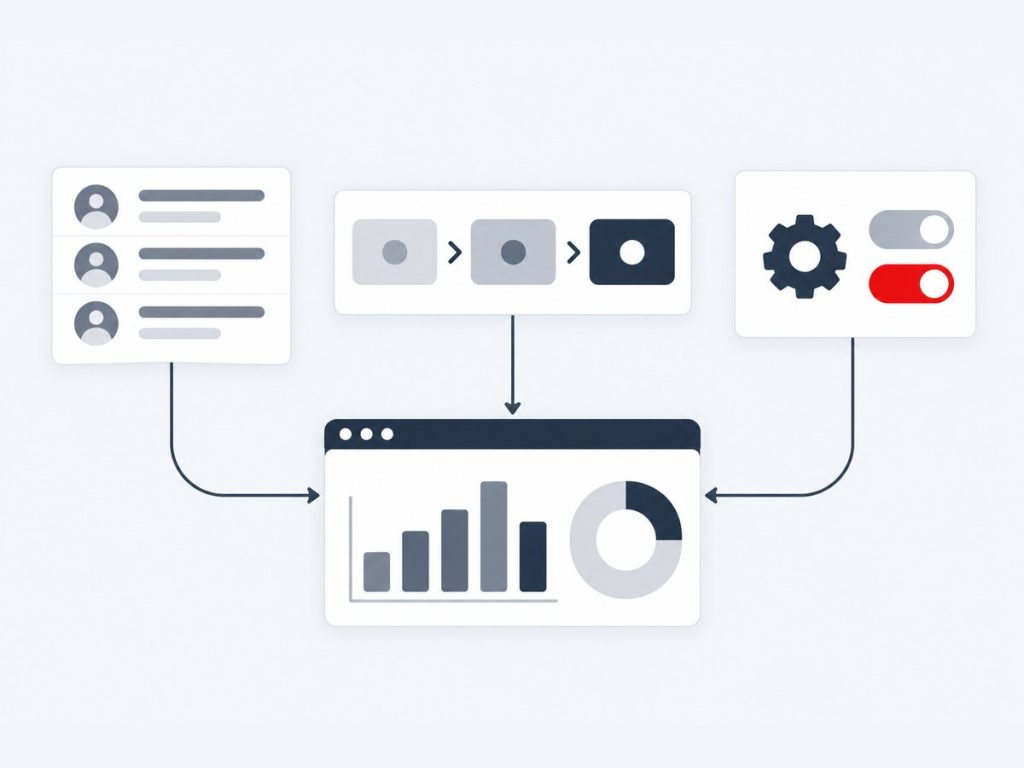
JoforceCRM With vTiger-Grade Expertise
JoforceCRM is an open-source CRM built on vTiger foundations, with its own interface and features. It gives growing businesses a full CRM without per-user licence fees, and it can run on your own infrastructure when data must stay under your control.
Because JoforceCRM shares much of its architecture with vTiger, our vTiger experience carries over directly. We implement and customise it, build custom modules and workflows, connect WhatsApp, telephony and AI, set up email and calendar sync and payment gateways, migrate data in either direction between Joforce, vTiger, SuiteCRM and spreadsheets and provide upgrades and ongoing support.
We are open about the long-term picture. Some businesses stay on Joforce for years; others later move to vTiger for its wider ecosystem or to another platform as their needs change. We design projects so that data and customisations stay portable, and we help you plan that roadmap instead of locking you in.
What We Deliver
Everything included in this service, from the first scoping call through to launch and support.
Installation & Setup
Complete server setup and CRM configuration.
Customization
Custom modules, fields, workflows and layouts.
Data Migration
Import data from spreadsheets or other CRMs.
Integrations
Connect email, telephony, WhatsApp and more.
Reports & Dashboards
Insights for sales and support teams.
Training & Support
Help your team adopt the CRM successfully.
Key Benefits
What this means for your business once it is live.
No Per-User Licence Fees
The open-source edition has no licence cost, only hosting and services.
Built on vTiger Foundations
Familiar architecture means faster, lower-risk customisation.
Self-Hosted Option
Keep data on your own infrastructure when required.
Easy Moves Between Platforms
Migrate to or from vTiger and others with relationships intact.
Full Service From One Team
Implementation, integration, development and support together.
Roadmap Advice
Honest guidance on whether to stay, extend or move.
How It Works
Requirement Analysis
We map your sales and support processes to JoforceCRM modules.
Install & Configure
The CRM is installed on your server and configured.
Customize & Integrate
Custom fields, modules and integrations are added.
Migrate & Train
Data is imported and users are trained.
Real-World Use Cases
Small Business CRM
A growing company replaces spreadsheets with JoforceCRM without paying per-user fees.
Self-Hosted Requirement
A business that must keep data on its own server deploys JoforceCRM on private infrastructure.
Sales & Support in One
Sales pipeline and support tickets are managed in a single system.
Common Challenges We Solve
Limited In-House CRM Skills
We handle set-up, customisation and training so your team can focus on selling.
Integrations Missing
We connect messaging, calling, AI, email and payments to Joforce records.
Uncertainty About the Long Term
We plan data portability and compare Joforce with vTiger and other options.
Server and Update Maintenance
We provide updates, backups, tuning and support.
Why Choose Xirgosoft
- No per-user licensing costs
- Full control over your CRM and data
- Customization by experienced developers
- Long-term support and upgrades
Technologies & Platforms
Who This Is For
- Small and growing businesses leaving spreadsheets
- Companies requiring a self-hosted CRM
- Teams moving between vTiger and Joforce
- Businesses wanting vTiger-style customisation without licence fees
- Organisations needing a managed, supported open-source CRM
What Is Included
- Installation and configuration
- Custom modules, fields and workflows
- Integrations for messaging, calling, AI, email and payments
- Data migration in or out
- Hosting, backups and performance tuning
- Training and support
All JoforceCRM Services
JoforceCRM WhatsApp Integration
Message Customers on WhatsApp from JoforceCRM
For many small and mid-sized businesses, WhatsApp is the main customer channel — but chats on personal phones are hard to manage.
We integrate the official WhatsApp Business Platform with JoforceCRM so conversations are shared, logged and linked to leads, contacts and organizations.
Because JoforceCRM shares its architecture with vTiger, we adapt our proven vTiger WhatsApp integration approach for Joforce's interface and modules.
Chat from CRM
Send and receive messages on records.
Templates
Approved templates for notifications.
History Logging
Every message saved on the record.
Auto Lead Creation
New numbers become leads.
Workflow Messages
Automated WhatsApp messages from workflows.
Team Inbox
Multiple agents share one business number.
Example scenarios
Lead Follow-Up
New leads receive a welcome message and replies go to the assigned rep.
Payment Reminders
Customers receive invoice reminders on WhatsApp.
Customer Support
Support questions arrive in Joforce and are answered by the team.
JoforceCRM Telephony & VoIP Integration
Click-to-Call and Automatic Call Logging for JoforceCRM
Calling customers and then manually logging calls wastes time and leaves gaps in records.
We integrate JoforceCRM with Asterisk/FreePBX, Twilio and other VoIP providers for click-to-call, incoming call identification and automatic logging.
For Asterisk-based systems, the integration uses the Asterisk Manager Interface (AMI) — the same proven approach used with vTiger.
Click-to-Call
Call any number in Joforce with one click.
Caller Pop-Ups
See who is calling before answering.
Call Logs
Calls recorded automatically.
Recordings
Listen from the CRM.
Extension Mapping
Link extensions to users.
Call Reports
Activity per user and team.
Example scenarios
Sales Calls
Reps call leads from Joforce with automatic logging.
Support Calls
Agents see the caller's tickets on incoming calls.
Missed Calls
Missed calls create follow-up tasks.
JoforceCRM AI Integration
AI-Powered Summaries, Drafts and Automation in JoforceCRM
Small teams wear many hats. AI can take care of time-consuming writing and reading tasks inside the CRM.
We integrate ChatGPT, Claude, Gemini or self-hosted AI models with JoforceCRM to summarize records, draft replies and classify leads and tickets.
We keep it practical: a few well-chosen AI actions that save real time, rather than complex features nobody uses.
Summaries
Quick summaries of leads, deals and tickets.
Email Drafts
Generate replies from CRM history.
Lead Scoring Hints
AI notes on lead quality and intent.
Ticket Categorization
Automatic classification.
Data Extraction
Fill fields from emails.
Model Choice
Cloud or self-hosted AI.
Example scenarios
Quick Lead Review
A rep reads an AI summary of a lead's inquiries before calling.
Reply Drafts
Support staff generate first drafts of replies to common questions.
Inbox Processing
Incoming inquiries are classified and assigned automatically.
JoforceCRM Email & Calendar Sync (Office 365 & Gmail)
Connect Your Mailbox and Calendar to JoforceCRM
Customer emails and meetings belong in the CRM, not scattered across personal inboxes.
We configure JoforceCRM's email with Microsoft 365 and Gmail using OAuth, set up mail converters for support inboxes, and sync calendars.
Older IMAP setups using plain passwords often stop working with Microsoft 365 and Gmail; we update them to modern OAuth authentication.
OAuth Email
Secure Microsoft 365 and Gmail connections.
Mail Converter
Create tickets and leads from emails.
Outgoing SMTP
Reliable sending configuration.
Calendar Sync
Meetings synced with external calendars.
Email Linking
Emails attached to the right records.
Troubleshooting
Fix authentication and cron issues.
Example scenarios
Support Inbox
Emails to support create tickets automatically.
Sales Emails
Customer emails are linked to contacts and deals.
Fixing Broken Sync
Outlook email stopped importing; we restore it using OAuth.
JoforceCRM Payment Gateway Integration
Online Payments for JoforceCRM Invoices
Getting paid faster improves cash flow, and online payment links make it easy for customers.
We integrate Stripe, PayPal, Razorpay and other gateways with JoforceCRM so invoices can be paid online and are updated automatically.
Payment confirmations arrive via webhooks, so invoice status in Joforce stays accurate without manual updates.
Payment Links
Add links to invoices and emails.
Status Updates
Invoices marked paid automatically.
Payment History
Transactions recorded per customer.
Multiple Gateways
Stripe, PayPal, Razorpay and others.
Reminders
Automatic reminders for unpaid invoices.
Reports
Collected and outstanding amounts.
Example scenarios
Invoice Payments
Customers pay invoices online by link.
Advance Payments
Advance payments recorded against sales orders.
Reminders
Unpaid invoices trigger reminders by email or WhatsApp.
JoforceCRM Data Migration
Move into or out of JoforceCRM Without Losing Data
Whether you are adopting JoforceCRM or moving to another platform, your data needs to arrive complete and accurate.
We migrate data between JoforceCRM and vTiger, SuiteCRM, Zoho, spreadsheets and other systems, preserving relationships and history.
Because JoforceCRM and vTiger share similar data structures, migrations between them are usually straightforward — and a good option if you want to switch platforms.
Assessment
Review data and customizations.
Mapping
Map modules and fields.
Cleansing
Fix duplicates and inconsistent data.
History
Notes, emails and documents migrated.
Testing
Validated trial migration.
Cutover
Planned final migration.
Example scenarios
Excel to Joforce
Customer lists in spreadsheets are cleaned and imported.
Joforce to vTiger
A company moves from Joforce to vTiger for its wider ecosystem.
vTiger to Joforce
A vTiger user moves to Joforce for its interface.
JoforceCRM Custom Development
Extend JoforceCRM with Features Built for Your Business
Every business has unique processes that standard modules do not fully cover.
We develop custom modules, fields, workflows, reports and integrations for JoforceCRM using its vTiger-based framework.
Our deep vTiger module development experience applies directly to JoforceCRM, reducing development time and risk.
Custom Modules
New modules for your business data.
Workflows
Custom automation and rules.
Fields & Layouts
Tailored forms and views.
Integrations
Connect Joforce with other systems.
Reports
Custom reports and dashboards.
API Extensions
Custom endpoints for apps and websites.
Example scenarios
Service Contracts
Track contracts, renewals and service visits.
Inventory Tracking
Track stock and serial numbers.
Website Integration
Web forms create leads and tickets in Joforce.
JoforceCRM Upgrade & Support
Reliable Maintenance and Support for JoforceCRM
Like any business system, JoforceCRM needs updates, server maintenance and someone to call when things go wrong.
We provide JoforceCRM updates, server and PHP upgrades, backups, performance tuning and ongoing user support.
As part of our support, we also help you plan your CRM roadmap — including whether to stay on JoforceCRM long-term or move to another platform as your needs grow.
Updates
Apply available JoforceCRM updates.
Server Maintenance
PHP, database and OS updates.
Backups
Automated, tested backups.
Performance
Speed and stability improvements.
Bug Fixes
Resolve errors and issues.
User Support
Help for admins and users.
Example scenarios
Slow CRM
Database and server tuning improve performance.
Server Upgrade
The CRM is moved to a newer, supported server.
Monthly Support
Admin and user help each month.
Frequently Asked Questions
Is JoforceCRM free?
The open-source edition has no licence fees; you pay for hosting and any customization.
How is it different from vTiger?
JoforceCRM is built on vTiger foundations with its own interface and features. We can help you compare both.
Can we migrate from JoforceCRM later?
Yes. Data can be exported and migrated to other CRMs if needed.
Do you provide hosting?
We can set up and manage hosting on AWS or your preferred provider.
Should we choose Joforce or vTiger?
It depends on interface preference, ecosystem and requirements. We compare them honestly and can migrate either way.
Can we start with Joforce and move later?
Yes. Data can be exported and migrated, and we plan for that from the start.
Can you customise Joforce like vTiger?
Yes. Its vTiger-based framework supports custom modules, fields, workflows and API extensions.
Do you host and maintain Joforce?
Yes. We can host on AWS or your preferred provider and maintain it under a support plan.
Is it the official API?
Yes, we use Meta's WhatsApp Business Platform.
Can multiple users use one number?
Yes.
Can workflows send WhatsApp messages?
Yes.
Are there WhatsApp fees?
Meta charges per conversation; we explain pricing during setup.
Which PBX systems work?
Asterisk-based systems and providers with APIs.
Do we need new hardware?
No.
Can calls be recorded?
Yes, if your PBX records them.
Is the PBX secured?
Yes, with restricted access and firewall rules.
Get started with JoforceCRM today.
Talk to our experts today for a free consultation and quote.