
Connect Gmail, Calendar and Google Workspace to Your CRM
Sales and support teams live in Gmail, Google Calendar and Google Drive. When those tools are not connected to the CRM, emails are copied by hand, meetings go unrecorded and customer history is scattered.
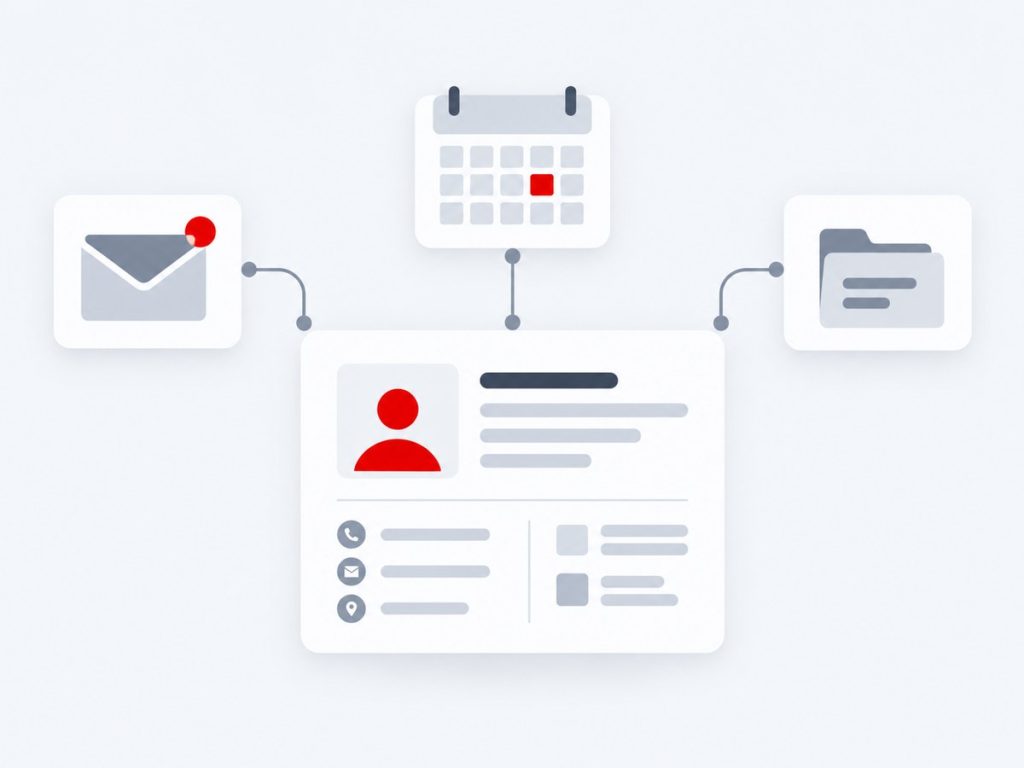
Xirgosoft connects Google Workspace to your CRM or ERP using Google's official APIs and OAuth 2.0, so emails, events, contacts and files stay linked to the right customer record automatically.
We work with vTiger, SuiteCRM, SugarCRM, YetiForce, Frappe CRM, HubSpot, Salesforce, Zoho and custom systems, and we handle the permissions, consent and security review that Google integrations require.
Whether you need a simple two-way calendar sync or a full email, contact and document workflow, we scope it around how your team really works.
Why Connect Google Workspace to Your CRM
Most customer knowledge is created outside the CRM: in email threads, calendar invitations, shared documents and spreadsheets. If none of that reaches the CRM, reports are incomplete, hand-overs lose context and people spend hours re-entering what already exists.
A well-designed Google Workspace integration brings that activity into the customer record without asking staff to change how they work. They keep using Gmail and Calendar, and the CRM quietly stays up to date.
We build integrations with careful control over what is synced. You decide which mailboxes, labels, calendars and fields are included, whether private messages are excluded and how long data is kept, so the integration supports your privacy policy as well as your sales process.
We also plan for the real world: large mailboxes, calendar invitations with many attendees, duplicate contacts, revoked access and API limits are all handled so the sync stays reliable after launch.
What We Deliver
Everything included in this service, from the first scoping call through to launch and support.
Gmail Sync
Link sent and received emails to contacts, leads and deals, with threading and attachments.
Calendar Sync
Two-way sync of meetings, tasks and reminders between Google Calendar and the CRM.
Contacts Sync
Keep Google Contacts and CRM contacts aligned without duplicates.
Drive Document Links
Attach Google Drive files and folders to records and open them from the CRM.
Sheets and Forms
Push Google Forms and Sheets data into the CRM as leads or cases.
Meet and Notifications
Create Google Meet links from CRM activities and notify teams in Chat.
Key Benefits
What this means for your business once it is live.
One Customer Timeline
Emails, meetings and files appear together on the record.
Less Manual Entry
Staff stop copying details between Gmail and the CRM.
Better Follow-Up
Meetings and tasks created in the CRM show up in calendars immediately.
Privacy Controls
Choose exactly what is synced and what stays private.
Secure Access
OAuth 2.0, minimal scopes and revocable access.
Works With Your CRM
Built on your CRM's own API or modules.
How It Works
Requirements
We define what data moves, when and why.
Connect & Map
We connect systems and map fields.
Test
We test with real scenarios and edge cases.
Launch & Support
We go live and monitor the integration.
Real-World Use Cases
Email history on every customer
Every email to or from a customer appears on their CRM timeline, so anyone can pick up the conversation.
Meetings booked from the CRM
Reps schedule a call from a deal and the event, invite and Meet link appear in Google Calendar.
Leads from Google Forms
Website or event forms feed straight into the CRM with owner assignment and follow-up tasks.
Reporting from Sheets
Finance or operations teams export CRM data to Sheets on a schedule for their own analysis.
Common Challenges We Solve
Emails Missing From Records
We match addresses and threads to contacts so conversations land in the right place.
Duplicate Contacts
We define matching rules and a master system before syncing.
Restricted Google Scopes
We choose the lightest permissions and explain the verification options.
Changes Made in Two Places
Conflict rules decide which side wins, and changes are logged.
Why Choose Xirgosoft
- Accurate, automatic data flow between systems
- Fewer manual entries and fewer errors
- Tested against real scenarios
- Monitoring and support after launch
Technologies & Platforms
Who This Is For
- Sales teams who live in Gmail and Google Calendar
- Support teams handling customer email threads
- Companies using Google Workspace across departments
- Businesses collecting leads through Google Forms
- Teams that want fewer spreadsheets and re-typed notes
What Is Included
- Requirements and permissions review
- OAuth set-up and security configuration
- Email, calendar and contact sync as agreed
- Field mapping and duplicate rules
- Testing with real mailboxes and calendars
- Documentation, training and support
Frequently Asked Questions
Is the integration secure?
We use OAuth 2.0 with the minimum scopes needed, store tokens securely and let users revoke access at any time.
Do we need Google verification?
Some Gmail scopes are classed as restricted and may need Google's app verification when used by many outside users. For internal use within your own Workspace domain the process is usually lighter. We advise on this up front.
Can it work with our existing CRM?
Yes. We build on the CRM's own API or modules, including vTiger, SuiteCRM, SugarCRM, HubSpot and Salesforce.
Can sync be one-way only?
Yes. You can choose one-way or two-way sync for each data type, and set rules for conflicts.
How long does it take?
A calendar or contact sync can be quick, while full email and document workflows take longer. We give a timeline after reviewing your needs.
Can only certain users be connected?
Yes. You can connect specific users or groups and exclude others.
Are private emails synced?
Not unless you want them to be. We can limit sync to labels, domains or contacts known to the CRM.
Connect Google Workspace to your CRM.
Talk to our experts today for a free consultation and quote.