

Enterprise-Grade Open-Source CRM with SuiteCRM
SuiteCRM is a feature-rich open-source CRM used by organizations of all sizes for sales, marketing and service.
We implement and customize SuiteCRM to match your processes, with integrations, migrations, upgrades and ongoing support.
SuiteCRM includes sales, marketing, service, workflows, quotes and reporting in its open-source edition. We help you configure these features properly so your team gets real value from them.
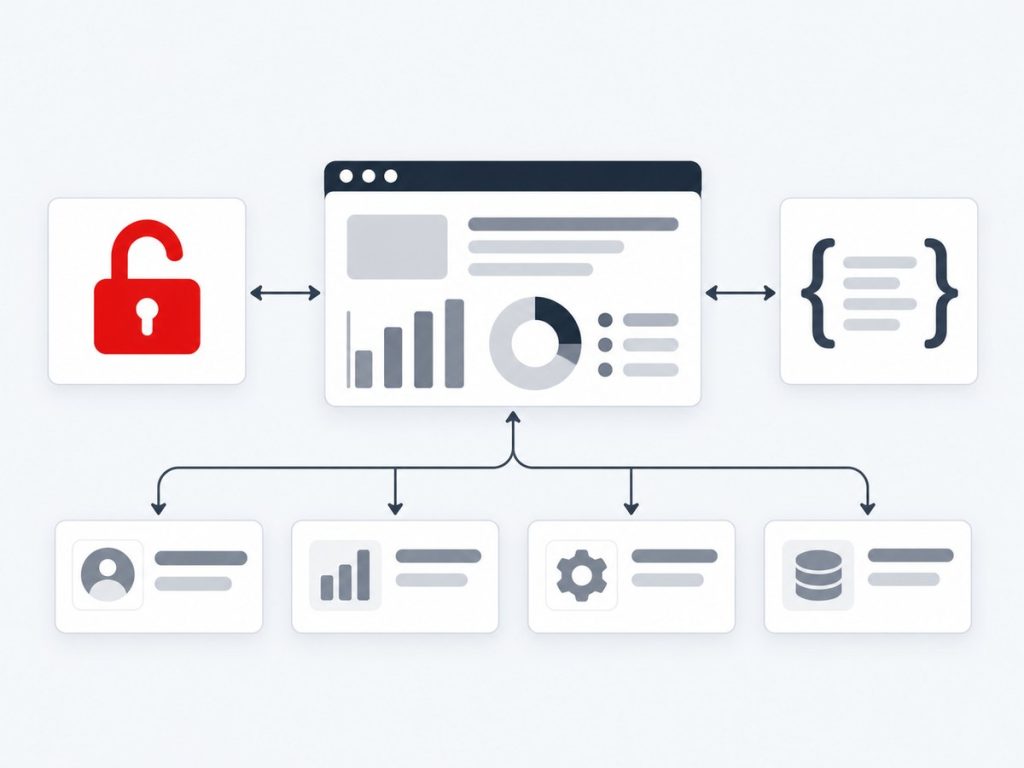
Getting the Most From Open-Source SuiteCRM
SuiteCRM is one of the most widely used open-source CRMs. Its free edition includes sales, marketing and service features, workflows, quotes and invoices, reporting and a customer portal. There are no per-user licence fees, so budget goes into hosting, configuration and the customisation your business actually needs.
Because SuiteCRM is self-hosted and open, it rewards good engineering. We set up and tune the platform, configure modules, roles and AOW workflows, connect it to WhatsApp, telephony, AI, email and payment tools, migrate data in from other systems and extend it with custom modules, logic hooks and API endpoints. This page brings those services together so you can see the whole picture in one place.
One decision shapes many projects: SuiteCRM 7 or 8. SuiteCRM 8 introduces a modern Angular front end on a Symfony-based core, while many existing installations and plugins still rely on the 7.x architecture. We assess your extensions and customisations, advise on timing and support both versions, including the legacy views embedded in SuiteCRM 8.
Many clients arrive from SugarCRM Community Edition, which SuiteCRM was forked from and which no longer receives updates. Those migrations are among our most common, and we pair them with upgrades to supported PHP versions so the new system is both current and secure.
What We Deliver
Everything included in this service, from the first scoping call through to launch and support.
Implementation
Setup and configuration of SuiteCRM modules and roles.
Custom Development
Custom modules, logic hooks and workflows.
Data Migration
Move data from legacy systems or other CRMs.
Integrations
Email, telephony, ERP and website integrations.
Upgrades
Upgrade to the latest SuiteCRM versions safely.
Training & Support
User training and ongoing technical help.
Key Benefits
What this means for your business once it is live.
No Per-User Licence Costs
Open source, so you pay for hosting and services, not seats.
Control of Hosting and Data
Run on your own server or cloud, with your own backups and security.
Powerful Built-In Features
Workflows, quotes, invoices, reports, campaigns and a portal.
Version Guidance
Clear advice on SuiteCRM 7 versus 8 and when to move.
Smooth Migrations
Especially from SugarCRM Community Edition and spreadsheets.
Open to Customisation
Modules, hooks and APIs extend SuiteCRM without core edits.
How It Works
Discovery
We map processes, users and data sources.
Configure Modules
Sales, marketing and case management are configured.
Customize & Integrate
Logic hooks, workflows and integrations are built.
Launch & Support
Go-live, training and ongoing support.
Real-World Use Cases
Non-Profit Donor Management
Donors, campaigns and contributions are tracked without per-user licence costs.
Service Case Management
Customer cases are routed with SLAs and a self-service portal.
SugarCRM CE Replacement
A business on unsupported SugarCRM Community Edition moves to SuiteCRM.
Common Challenges We Solve
Choosing Between SuiteCRM 7 and 8
We assess plugins and customisations before recommending an upgrade path.
Email Stopped After Authentication Changes
We reconfigure OAuth connections and fix scheduler and cron issues.
Unsupported SugarCRM CE
We migrate history to SuiteCRM and modernise the server stack.
Customisations Complicating Upgrades
We use SuiteCRM's custom directory and upgrade-safe practices.
Why Choose Xirgosoft
- Enterprise features without license fees
- CRM configured to your workflows
- Full ownership of your data
- Reliable support from CRM experts
Technologies & Platforms
Who This Is For
- Organisations wanting a capable CRM without licence fees
- Teams leaving SugarCRM Community Edition
- Companies with self-hosting or data-residency needs
- Non-profits and service organisations using cases and campaigns
- Businesses deciding when to move from SuiteCRM 7 to 8
What Is Included
- Assessment and version recommendation
- Implementation and configuration
- Module packages for WhatsApp, calling, AI, email and payments
- Data migration and validation
- Custom modules, hooks and API extensions
- Upgrade, performance tuning and support
All SuiteCRM Services
SuiteCRM WhatsApp Integration
Chat with Customers on WhatsApp Directly from SuiteCRM
WhatsApp is often the fastest way to reach customers, but conversations on individual phones are invisible to the rest of the team.
We integrate the official WhatsApp Business Platform with SuiteCRM so messages are sent, received and stored against leads, contacts, accounts and cases.
The integration is installed as a SuiteCRM module package and works with both SuiteCRM 7.x and 8.x, including the legacy views embedded in SuiteCRM 8.
Chat Panel on Records
Send and receive messages from SuiteCRM records.
Template Messages
Meta-approved templates for notifications and follow-ups.
Full History
Conversations saved for every team member to see.
Lead Capture
New numbers create leads automatically.
AOW Workflow Actions
Send WhatsApp messages from SuiteCRM workflows.
Case Notifications
Notify customers about case progress on WhatsApp.
Example scenarios
Service Updates
Customers receive WhatsApp updates whenever their SuiteCRM case is updated.
Event Reminders
Contacts registered for an event receive automatic WhatsApp reminders.
Sales Conversations
Reps chat with prospects from the lead record, with every message saved.
SuiteCRM Telephony & VoIP Integration
Make, Receive and Log Calls Without Leaving SuiteCRM
Phone calls are still central to sales and support, yet they are often the least recorded customer activity.
Xirgosoft connects SuiteCRM with Asterisk/FreePBX, Twilio and other VoIP providers for click-to-call, caller identification, call logging and recordings.
Calls are stored in SuiteCRM's standard Calls module, so they appear in history subpanels, reports and workflows straight away.
Click-to-Call
Dial from any phone field in SuiteCRM.
Caller Pop-Ups
Identify callers and open their record instantly.
Call Logging
Calls saved automatically with duration and status.
Recordings
Play recordings from the call record.
Missed Call Tasks
Create follow-up tasks for missed calls.
Call Reports
AOR reports for call activity by user and team.
Example scenarios
Customer Support Desk
An incoming call shows the caller's open cases before the agent answers.
Outbound Campaign Calls
Agents call campaign target lists with every outcome recorded.
Missed Calls
After-hours calls create callback tasks for the next morning.
SuiteCRM AI Integration (ChatGPT, Claude, Gemini)
Add AI-Powered Summaries, Drafts and Automation to SuiteCRM
SuiteCRM holds a wealth of customer history, but reading through it takes time your team does not have.
We integrate AI models such as ChatGPT, Claude and Gemini into SuiteCRM to summarize records, draft emails, classify cases and extract data — all inside your existing screens.
Because SuiteCRM is open source and often self-hosted, we can also connect it to self-hosted open models, keeping customer data entirely on your own infrastructure.
Summaries
Concise summaries of accounts, opportunities and cases.
Email Drafting
Draft replies using record history.
Case Classification
Automatic categorization and priority.
Data Extraction
Fill fields from incoming emails.
Workflow AI Actions
Run AI steps inside AOW workflows.
Self-Hosted Options
Use open models on your own servers.
Example scenarios
Case Summaries
Support leads review a summary of long case threads before escalation calls.
Lead Qualification
Incoming web-to-lead messages are analyzed for interest, budget and urgency.
Proposal Drafting
Reps generate first drafts of proposals from opportunity details.
SuiteCRM Email & Calendar Sync (Office 365 & Gmail)
Reliable Email and Calendar Integration for SuiteCRM
Email problems are among the most common SuiteCRM support issues — especially since Microsoft and Google moved to OAuth authentication.
We configure SuiteCRM's inbound and outbound email with Microsoft 365 and Google Workspace using OAuth, set up case-creating mailboxes, and sync calendars.
Recent SuiteCRM versions include OAuth-based connections for external mail providers; we configure them properly and resolve related scheduler and cron issues.
OAuth Mail Setup
Secure connections to Microsoft 365 and Gmail.
Inbound Email to Cases
Group mailboxes create and update cases.
Personal Mail Accounts
Users send and receive from SuiteCRM.
Calendar Sync
Meetings synced with Google or Outlook calendars.
Scheduler & Cron Fixes
Ensure imports run on schedule.
Email Templates
Branded templates for campaigns and cases.
Example scenarios
OAuth Migration
A SuiteCRM instance stops importing Outlook emails; we reconnect it with OAuth.
Support Inbox
Emails to help@ become cases with automatic replies.
Google Calendar
Sales meetings in SuiteCRM appear in each rep's Google Calendar.
SuiteCRM Payment Gateway Integration
Turn SuiteCRM Quotes and Invoices into Online Payments
SuiteCRM includes quotes, invoices and products, but collecting payment still often happens outside the CRM.
We integrate payment gateways such as Stripe, PayPal and Razorpay with SuiteCRM so invoices include payment links and are updated automatically when paid.
The integration works with SuiteCRM's AOS invoices module, so payment status flows directly into your existing invoice reports.
Invoice Payment Links
Add "Pay Now" links to invoices and PDFs.
Automatic Status Update
Invoices marked paid via gateway webhooks.
Payment Records
Transactions and refunds tracked in SuiteCRM.
Multiple Gateways
Stripe, PayPal, Razorpay and more.
Workflow Triggers
Notify teams or start onboarding when paid.
Outstanding Reports
See unpaid and overdue invoices.
Example scenarios
Service Invoices
Clients pay invoices online, and SuiteCRM marks them paid automatically.
Deposits
A deposit link is sent with a quote, and the opportunity moves forward on payment.
Overdue Follow-Up
Unpaid invoices trigger reminder emails and tasks.
SuiteCRM Data Migration Services
Move to SuiteCRM Without Losing Data or History
SuiteCRM is a popular destination for businesses leaving SugarCRM Community Edition, proprietary CRMs or spreadsheets.
We migrate your data into SuiteCRM — records, relationships, notes, emails and documents — with careful mapping, cleansing and validation.
Because SuiteCRM originated from SugarCRM CE 6.5, migrations from Sugar CE are particularly smooth, though customizations still need careful review.
Source Review
Analyze the current system and data quality.
Mapping
Modules, fields and relationships mapped to SuiteCRM.
Cleansing
Duplicates removed and values standardized.
History Included
Notes, emails, calls and attachments migrated.
Test Migration
Validated on a staging SuiteCRM.
Go-Live Support
Help for users after cutover.
Example scenarios
Sugar CE to SuiteCRM
An unsupported Sugar CE 6.5 system is migrated with all history.
Salesforce to SuiteCRM
A business reduces licence costs by moving to self-hosted SuiteCRM.
SuiteCRM 7 to 8
Data and configuration are moved to a new SuiteCRM 8 installation.
SuiteCRM Custom Development
Extend SuiteCRM with Modules and Automation Built for You
SuiteCRM is highly flexible, but getting the most from it often requires custom development.
We build custom modules, logic hooks, workflows, API endpoints and integrations for SuiteCRM, following upgrade-safe practices.
For SuiteCRM 8 we work with both the legacy PHP layer and the newer Angular/Symfony front-end, choosing the right approach for each customization.
Custom Modules
Module Builder and hand-coded modules.
Logic Hooks
Automated business rules on save, delete and more.
AOW Workflows
Complex workflows and conditions.
API v8 Extensions
Custom endpoints for integrations.
Custom Views & Dashlets
Tailored screens and dashboards.
Scheduled Jobs
Background syncs and maintenance tasks.
Example scenarios
Project Tracking
A custom module tracks projects, milestones and billing linked to accounts.
Approval Workflow
Discounts above a threshold require manager approval before quotes are sent.
Website Integration
Custom API endpoints let the website create leads and cases.
SuiteCRM Upgrade & Support Services
Upgrade SuiteCRM Safely and Keep It Running Smoothly
Older SuiteCRM versions run on outdated PHP and miss security fixes. Upgrading — especially from 7.x to 8.x — requires planning.
We upgrade SuiteCRM within 7.x, move installations to 8.x where appropriate, and provide ongoing support and maintenance.
Not every customization or plugin is ready for SuiteCRM 8. We assess compatibility first and advise whether to upgrade now or stay on the latest 7.x release for a while.
Upgrade Assessment
Check version, plugins and custom code.
7.x Upgrades
Bring 7.x installations up to the latest release.
7.x to 8.x Migration
Plan and execute the move to SuiteCRM 8.
PHP & Server Upgrades
Update PHP, database and web server.
Performance Tuning
Faster list views, searches and reports.
Support Plans
Monthly or on-demand support.
Example scenarios
Outdated SuiteCRM 7
An old 7.x instance on PHP 7 is upgraded to the latest 7.x on a supported PHP version.
Move to SuiteCRM 8
A business with few customizations moves to SuiteCRM 8 for its modern interface.
Slow System
Database tuning and cleanup restore performance.
Frequently Asked Questions
SuiteCRM 7 or 8 — which should we use?
It depends on your customizations and extensions. We assess compatibility and recommend the best option.
Can you upgrade our SuiteCRM?
Yes. We upgrade with backups and testing on staging first.
Is there a customer portal?
Yes. SuiteCRM supports a customer portal for cases and knowledge base.
Can it handle email campaigns?
Yes. SuiteCRM includes campaign management that can be connected to reliable SMTP services.
Is SuiteCRM really free?
The software has no licence fee. You pay for hosting, implementation and any customisation or support you choose.
Can you host SuiteCRM for us?
Yes. We can set up and manage hosting on AWS or your preferred provider.
Can SuiteCRM handle many users?
Yes, with proper server sizing, database tuning and caching. We plan capacity during discovery.
Can you integrate SuiteCRM with our website?
Yes. Web forms and APIs can create leads and cases, and we can build custom endpoints where needed.
Does it work with SuiteCRM 8?
Yes. We support both SuiteCRM 7.x and 8.x.
Can workflows send WhatsApp messages?
Yes. We add WhatsApp actions to AOW workflows.
Can multiple users share one number?
Yes. All messaging happens inside SuiteCRM.
Do we need the official API?
We strongly recommend it — unofficial tools risk your number being blocked.
Which phone systems are supported?
Asterisk-based systems, Twilio and most providers with an API or event interface.
Is our PBX exposed to the internet?
No. We secure connections with firewalls and restricted access.
Can calls be recorded?
Yes, if your PBX or provider records calls; recordings are linked to SuiteCRM.
Will it work with SuiteCRM 8?
Yes. We support both 7.x and 8.x.
Implement SuiteCRM with Xirgosoft.
Talk to our experts today for a free consultation and quote.