

Connect Outlook, Teams and Microsoft 365 to Your CRM
If your company runs on Microsoft 365, your customer conversations happen in Outlook, your meetings in Teams and your documents in SharePoint and OneDrive. Your CRM should reflect all of it, without anyone copying and pasting.
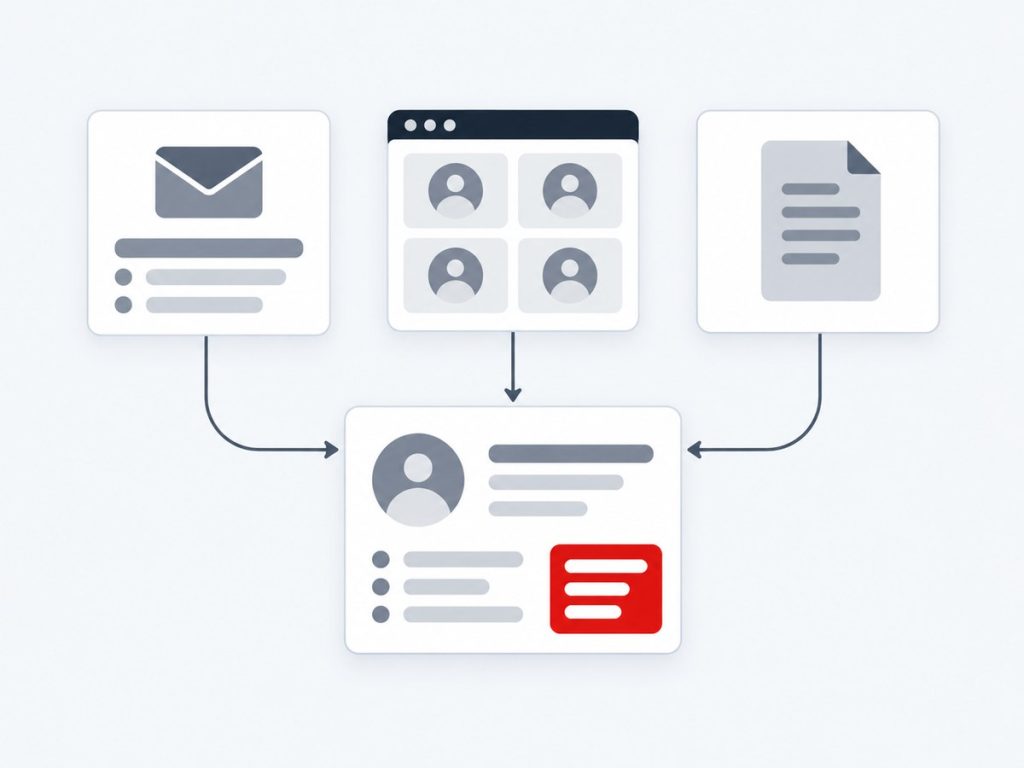
Xirgosoft integrates Microsoft 365 with your CRM or ERP through the Microsoft Graph API and Entra ID authentication, so emails, events, contacts, files and chats are connected to the correct customer or deal.
Because many Microsoft 365 organisations have strict security rules, we plan permissions, admin consent and tenant policies carefully, and we support both single-tenant and multi-tenant designs.
We integrate with vTiger, SuiteCRM, SugarCRM, YetiForce, Frappe CRM, Odoo, HubSpot, Salesforce and custom systems.
Why Connect Microsoft 365 to Your CRM
For many organisations, Outlook is where customer relationships are actually managed. Meetings are held in Teams, quotes live in SharePoint and approvals travel by email. A CRM that sits apart from all this becomes a second place to maintain, and teams quietly stop updating it.
A Microsoft 365 integration closes that gap. Emails and meetings are recorded against the right customer, documents are linked rather than duplicated and alerts reach people in Teams, where they already work.
We design these integrations with enterprise requirements in mind: least-privilege Graph permissions, admin consent documentation, support for conditional access and a clear approach to licences and service accounts.
We also help you decide when to use a lightweight sync and when to build a more complete workflow, so the solution matches the size and risk profile of your organisation.
What We Deliver
Everything included in this service, from the first scoping call through to launch and support.
Outlook Email Sync
Sync emails and attachments to CRM records, with the option to send from the CRM through Outlook.
Calendar Sync
Two-way sync of meetings and tasks between Outlook Calendar and the CRM.
Contacts Sync
Align Outlook and CRM contacts, with duplicate handling.
Teams Notifications
Send deal, ticket and approval alerts to Teams channels and let users act on them.
SharePoint and OneDrive
Link documents to records and open them from the CRM.
Single Sign-On
Use Entra ID so staff sign in to the CRM with their Microsoft accounts.
Key Benefits
What this means for your business once it is live.
Work Where Staff Already Are
Outlook and Teams stay the main tools; the CRM stays current.
Complete Customer History
Emails, meetings and documents tied to each record.
Enterprise-Ready Security
Entra ID authentication and least-privilege permissions.
Faster Decisions
Alerts and approvals reach Teams instantly.
Less Duplicate Storage
Files remain in SharePoint and are linked, not copied.
Flexible Design
Single-tenant or multi-tenant, as your situation needs.
How It Works
Requirements
We define what data moves, when and why.
Connect & Map
We connect systems and map fields.
Test
We test with real scenarios and edge cases.
Launch & Support
We go live and monitor the integration.
Real-World Use Cases
Outlook mail on the customer timeline
Account managers see every email thread with a customer without leaving the CRM.
Teams alerts for hot deals
A large deal or urgent ticket posts to a Teams channel with a link to the record.
Quotes stored in SharePoint
Generated proposals are saved to the customer's SharePoint folder and linked from the CRM.
Staff sign in with Microsoft
New employees get CRM access through their existing Microsoft account and group membership.
Common Challenges We Solve
Tenant Security Policies
We document permissions and work with your administrator on consent.
Shared and Delegated Mailboxes
We design how shared inboxes are mapped to teams and records.
Large Mailboxes
Selective and incremental sync keeps performance steady.
Mixed Environments
We handle organisations that use Microsoft 365 alongside other tools.
Why Choose Xirgosoft
- Accurate, automatic data flow between systems
- Fewer manual entries and fewer errors
- Tested against real scenarios
- Monitoring and support after launch
Technologies & Platforms
Who This Is For
- Companies standardised on Microsoft 365
- Sales teams who manage clients through Outlook
- Organisations that use Teams for collaboration and alerts
- Firms storing proposals and contracts in SharePoint
- IT teams who need documented, secure integrations
What Is Included
- Permission and security review
- Entra ID app registration and consent guidance
- Email, calendar and contact sync as agreed
- Teams notifications and document links
- Testing in your tenant
- Documentation, training and support
Frequently Asked Questions
Do you use Microsoft Graph?
Yes. Microsoft Graph is the standard way to access Outlook, Calendar, Teams, SharePoint and OneDrive data for Microsoft 365.
Will our IT administrator need to approve it?
Usually yes. Apps that access organisational data typically need admin consent. We document the permissions requested and why.
Does it work with on-premise Exchange?
Microsoft 365 integrations target Exchange Online. On-premise Exchange uses different options, which we can discuss.
Can we replace Outlook add-ins we already use?
We can review them and recommend whether to keep, replace or extend them.
Can Teams be used to approve things from the CRM?
Yes. Approval requests and actions can be surfaced in Teams, subject to the design we agree.
Can you integrate with Dynamics 365 or Business Central too?
Yes. We also implement and integrate Dynamics 365 and Business Central, so the pieces can be designed together.
Do users need to install anything?
Usually no. Most of the sync runs on the server, though we can add Outlook or Teams components where useful.
Connect Microsoft 365 to your CRM.
Talk to our experts today for a free consultation and quote.